

Features
The core of Chat is "one interface, all models". This page walks through each feature.
Switching models
Click ChatGPT Auto [click to switch models] at the top of the conversation to open the model menu; new messages are answered by the newly selected model. The platform uses a multi-node, multi-account architecture with smart routing, so switching is seamless — no re-login or redirect.
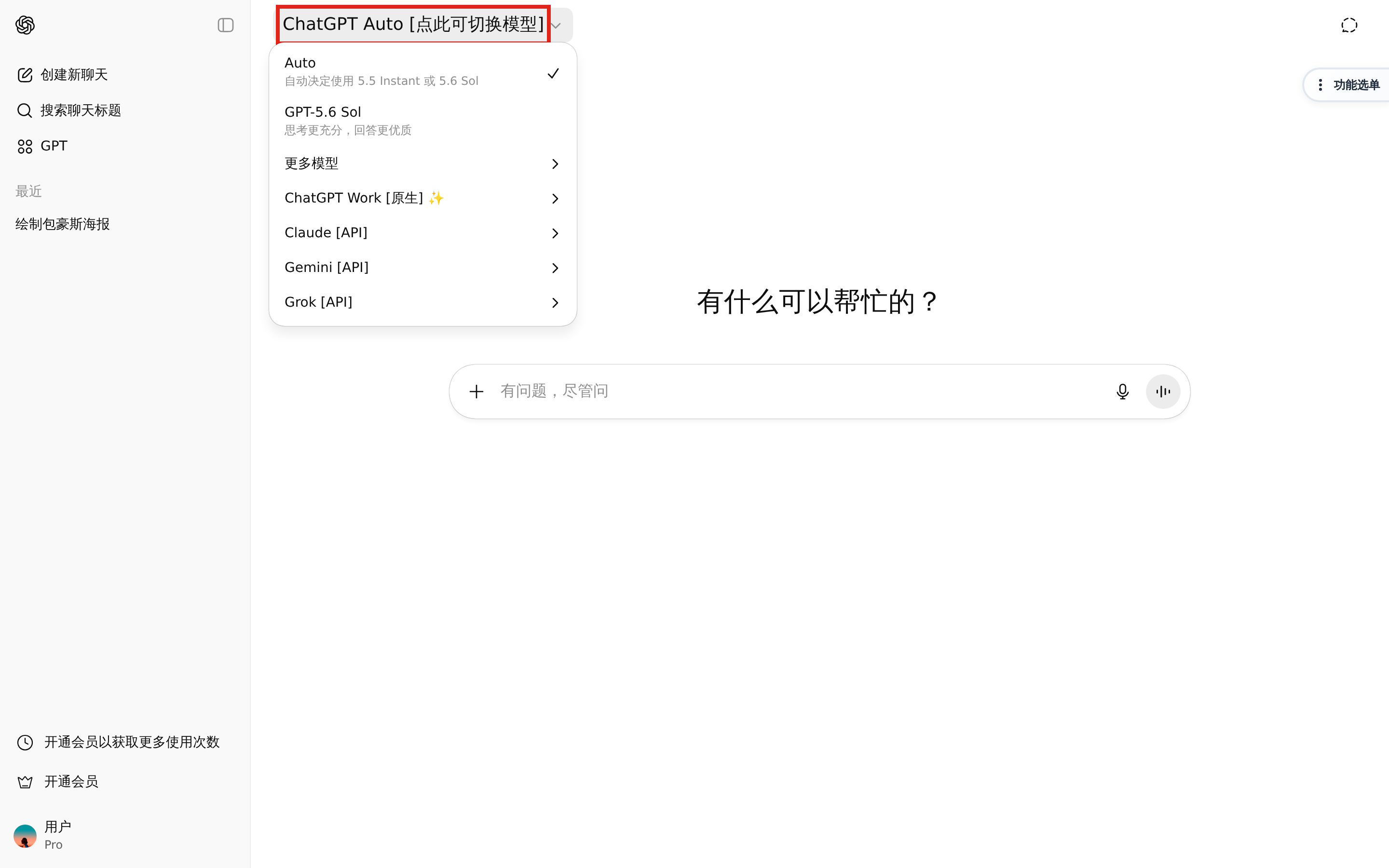
How to read the menu (available models change over time — the in-site model menu and announcements are authoritative):
Per-model quotas depend on your subscription plan, see Subscriptions.
Image generation
No separate entry needed: describe what you want directly in the conversation (e.g. "draw a watercolor lighthouse by the sea at sunrise"), and the request is automatically handled by the image model with the result shown inline.
- Type an image request in any conversation — no separate image tool to open.
- The request is routed to the image model automatically; the generated image appears in the reply.
- Hover to zoom or download; refine the prompt to iterate.
File analysis
Upload a file in the conversation and the model answers questions about its content. Common uses:
- Drop in a long document for a summary or key points
- Ask questions about a data table
- Have code files explained or debugged
File-analysis performance was significantly improved in February 2026.
- Click the + button on the left of the input box and pick a file; once uploaded it appears as a card above the input box.
- Common text, document, spreadsheet and image formats are supported; multiple files can be attached at once.
- Ask directly (e.g. "summarise the key points of this file"); follow-up questions do not require re-uploading.
Announcements
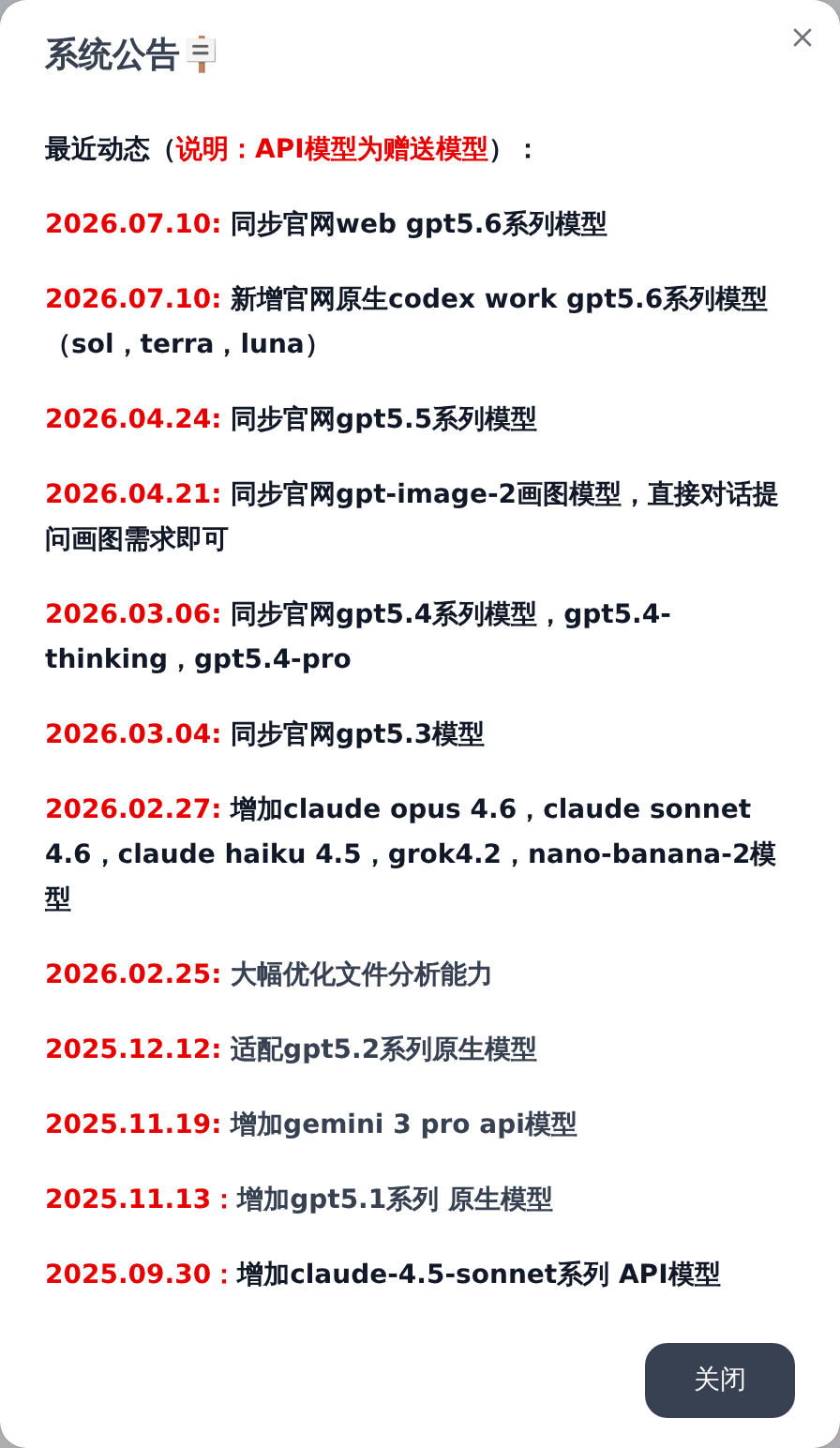
Announcements in the top navigation is the first place to check for platform updates: new models, capability improvements and support contact details are published there. New models usually arrive shortly after their official release.
Language and theme
Use the controls in the top-right corner to switch interface language and light/dark theme. Dark mode is recommended at night.
Keyboard shortcuts
On macOS, replace Ctrl with ⌘.