

CC Switch
A cross-platform desktop tool that manages provider configurations for eight AI coding tools — Claude Code, Codex, Gemini CLI, OpenCode, Hermes and more. Save ByteSeek as a provider once, then switch with one click instead of editing config files.
Install
The official download page is the only official source — avoid third-party sites requesting payment or credentials.
Prerequisites
- CC Switch and at least one managed tool installed (e.g. Claude Code or Codex)
- A key of the matching format from the API Keys page (format guidance in API Endpoints)
One-click import (recommended)
Once CC Switch is installed, the fastest route is importing straight from the console:
- Open the API keys page, and in the key row's Actions column click More → Import to CCS;
- The browser launches your local CC Switch with the key and endpoint pre-filled — confirm and you are done.
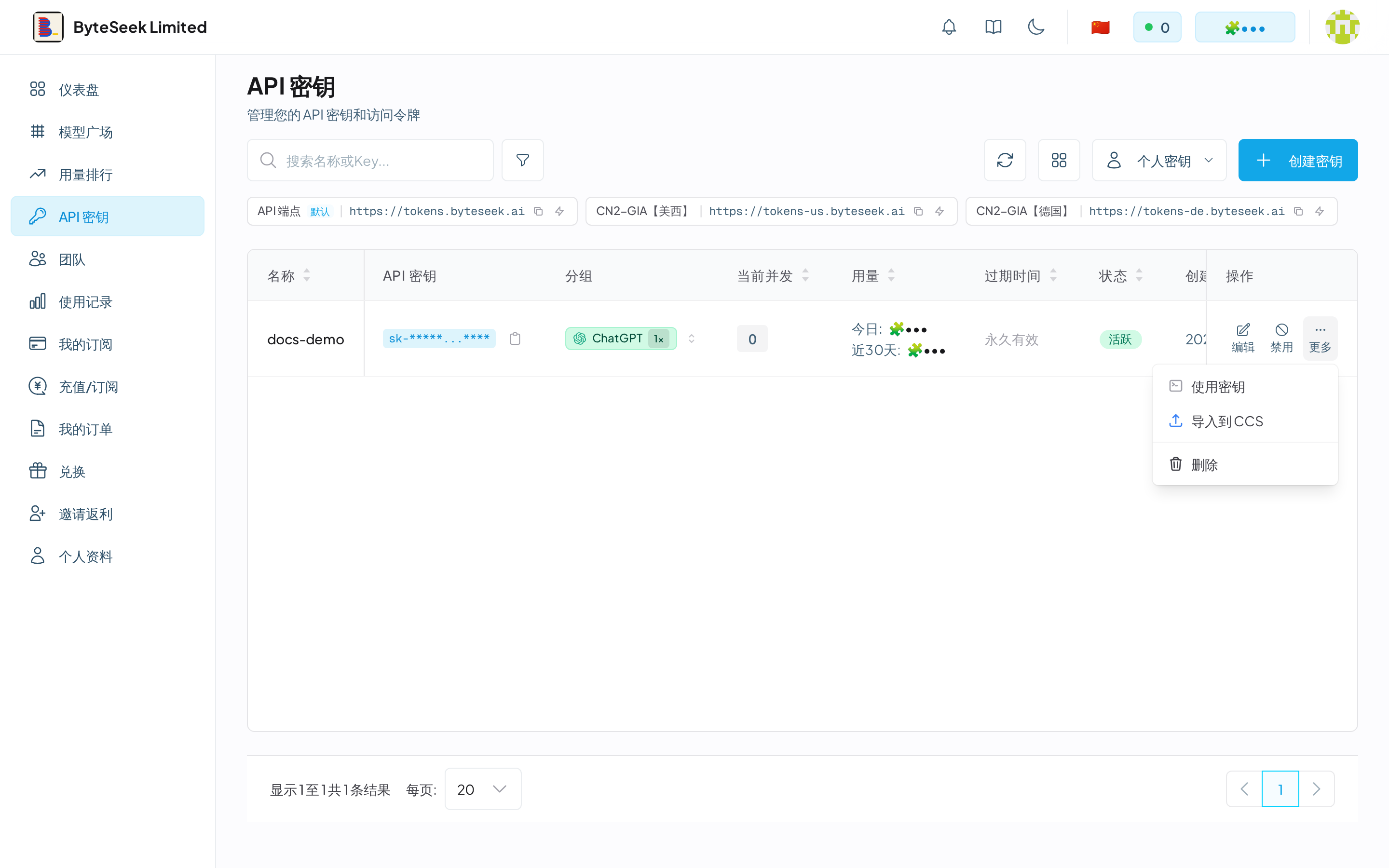
"Import to CCS" relies on the system protocol CC Switch registers. If it is not installed (or the protocol is unregistered), the page shows "CC-Switch not installed or protocol handler not registered" — install it from the download page, run it once, then retry; or add the provider manually below.
Add ByteSeek as a provider (manual)
Using Claude Code as the example:
- Open CC Switch and select Claude Code on the left.
- Click Add provider and choose custom (or adapt a preset).
- Fill in:
- Name:
ByteSeek - Base URL:
https://tokens.byteseek.ai(Anthropic format, no/v1) - API Key: your
sk-key
- Name:
- Save, click the provider to switch, and restart the terminal.
For Codex, use Base URL https://tokens.byteseek.ai/v1 with the Responses protocol; other tools follow their format per API Endpoints.
- After adding, a
ByteSeekentry appears with its Base URL and target app (Claude Code / Codex); - Clicking an entry switches instantly; the active provider is highlighted;
- Switching rewrites the target client's config file — restart the client to apply.
Verify
After switching, start the tool (e.g. claude) — a normal conversation confirms the switch. Check the request on the usage page.