

OpenCode
An open-source terminal agent with multi-model switching; connects to ByteSeek via the OpenAI-compatible protocol.
Install
macOS / Linux
Website: opencode.ai.
Prerequisites
- OpenCode installed (
opencode --versionprints a version) - An OpenAI-format group key from the API Keys page
Configure (one click from the console)
No hand-written config needed — the console generates an opencode.json complete with the model list for your key:
- Open the API keys page, and in the key row's Actions column click More → Use key;
- Switch the dialog to the OpenCode tab and copy the generated
opencode.jsonin full; - Write it to
~/.config/opencode/opencode.json(opencode.jsoncalso works), creating the file if it doesn't exist.
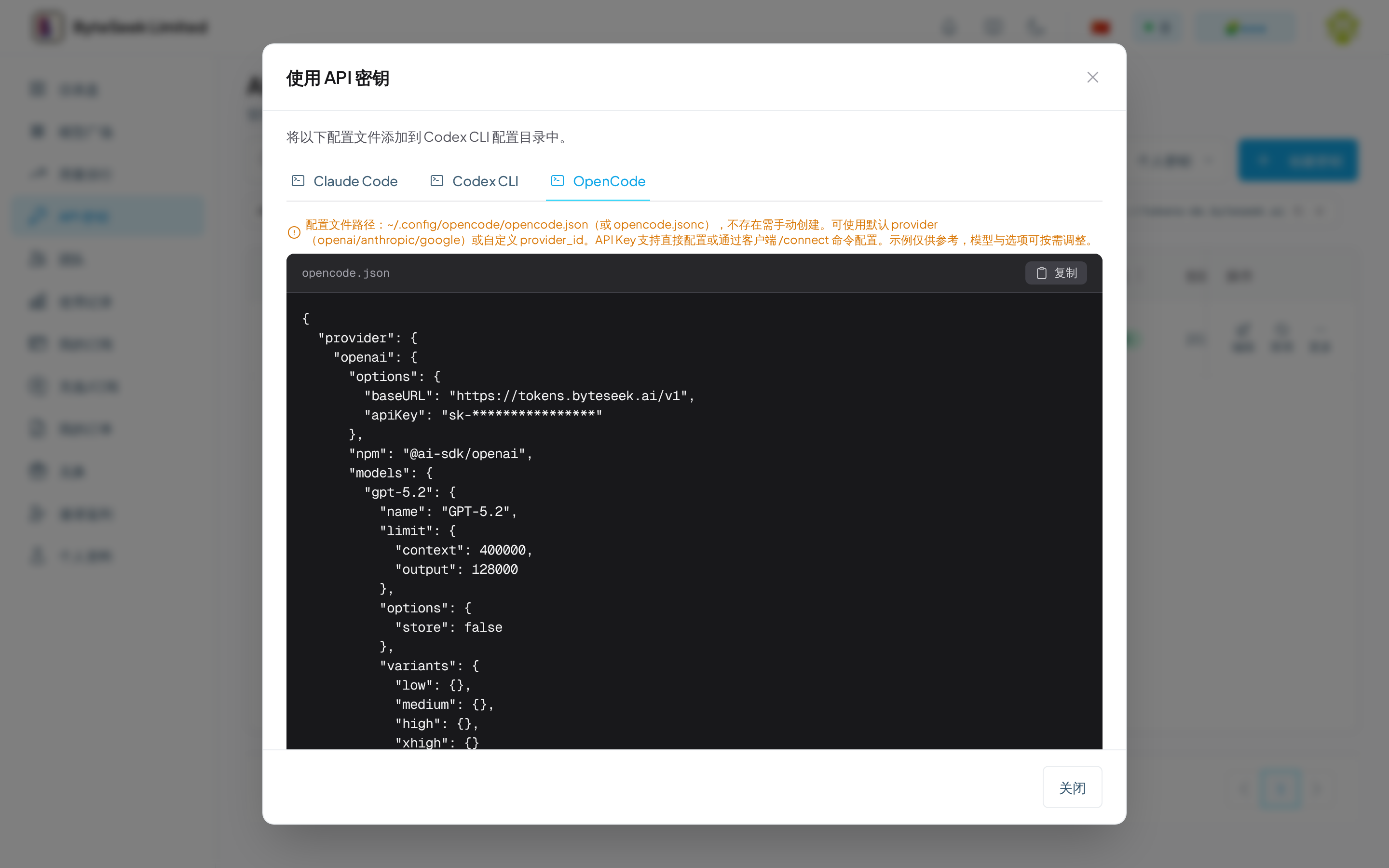
The generated config points the default openai provider at ByteSeek, with context limits and reasoning-effort variants pre-filled per model. Structure excerpt (the dialog's content is authoritative — copy it wholesale):
Extra notes (also flagged in the dialog):
- The API key can stay out of the file — configure it with the client's
/connectcommand instead; - You may also use a custom
provider_id(such asbyteseek) instead of the defaultopenaiprovider, adding or removing models as needed; - Model IDs follow the model plaza; with a composite key, include the prefix.
What you should see
- Start
opencodeand pressCtrl+Xto switch models — the list shows the provider from your config (defaultopenai, or your custom ID) and its models; - The bottom-right corner shows the current model name;
- A test message returns normally with no auth errors.
Verify
Start OpenCode, switch to a ByteSeek model in the picker and send a message. Charges appear on the usage page.