

Claude Code
Anthropic's official terminal CLI. Point it at ByteSeek with two environment variables — five minutes, done.
Install
Pick whichever channel fits your workflow:
macOS / Linux
Windows PowerShell
Windows CMD (install Git for Windows first)
Product intro on the Anthropic website; commands and usage in the official docs.
Prerequisites
- Claude Code installed (
claude --versionprints a version) - A key for an Anthropic-format group created on the API Keys page (format guidance in API Endpoints)
Configure (one click from the console)
No hand-written config needed — the console generates it for your key:
- Open the API keys page, and in the key row's Actions column click More → Use key;
- The dialog opens on the Claude Code tab — switch between macOS / Linux, Windows CMD, PowerShell for your system and copy the generated content.
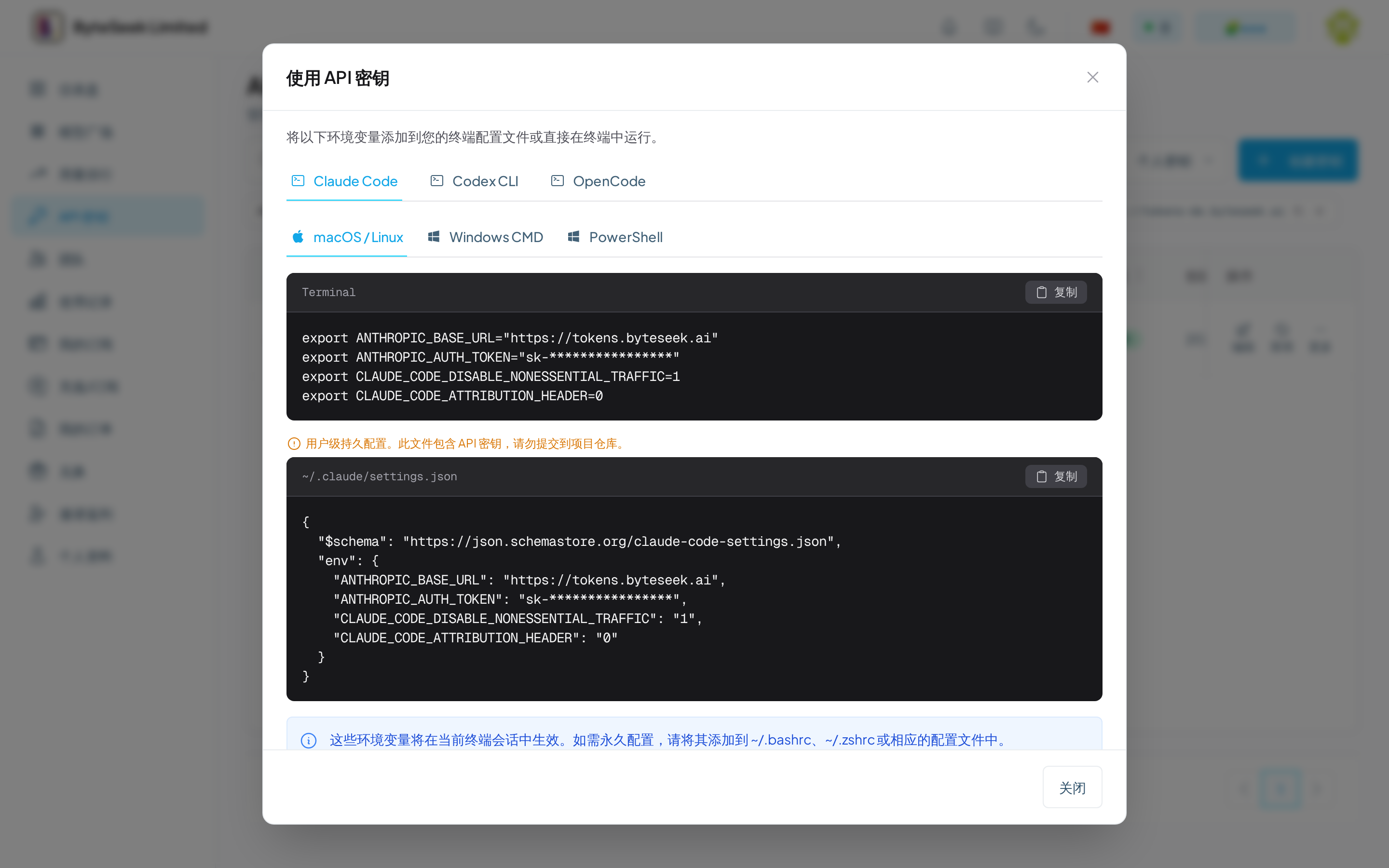
The dialog offers two equivalent routes — pick one:
Route 1: environment variables (current terminal session; append to ~/.bashrc / ~/.zshrc to persist):
Route 2: user-level persistent config ~/.claude/settings.json (write once, applies globally; this file contains your key — never commit it to a repository):
Two notes:
- The Base URL has no
/v1— the Anthropic format's paths are appended by the client itself; - The two
CLAUDE_CODE_*variables turn off non-essential traffic and the attribution header, trimming irrelevant requests.
If you took the environment-variable route, reload and start:
- After starting
claude, the welcome banner'sAPI Base URLline showshttps://tokens.byteseek.ai(the variables took effect); - A test message gets a normal reply;
/statusshows the current model and connection state with no 401 / 403.
Verify
Send any message inside Claude Code — a normal reply means you are connected. To confirm billing attribution, look for the request on the usage page.
Choosing models
Switch models inside Claude Code with /model; availability depends on your key's group — full list in the model plaza. With a composite key, remember the prefix on model IDs.
Common issues
More status codes in Error Codes.