

Composite Keys
A composite key binds several groups at once: each group gets a prefix, and the prefix on the model ID picks the group at call time. No per-group keys, no config juggling in the client.
Creating one
- Click Create Key on the API Keys page.
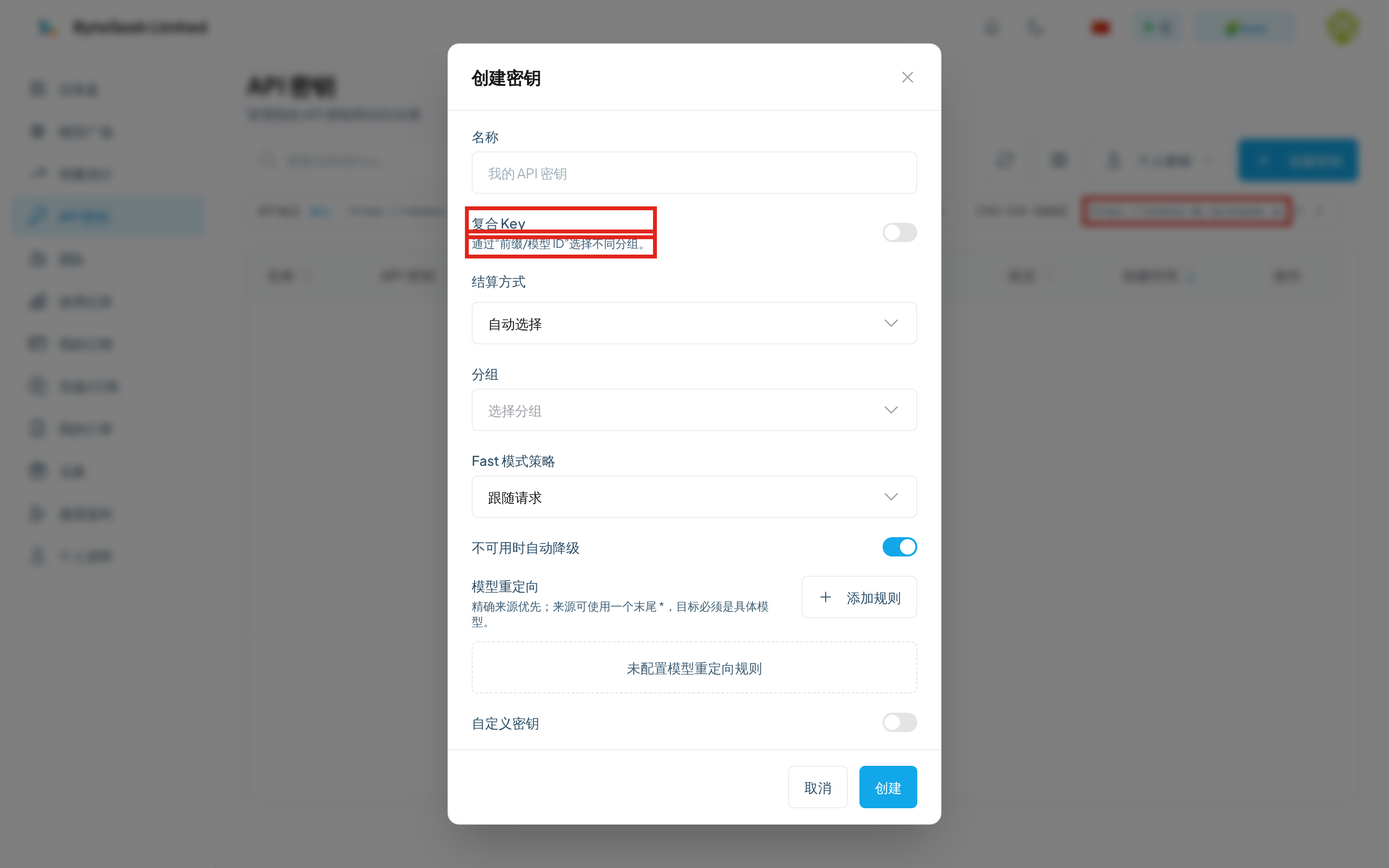
- Name it and switch on Composite Key.
- In the mapping editor add rows, choosing a group and typing a prefix for each.
- Add as many mappings as needed and save.
Editing an existing key offers the same switch and flow.
Prefix rules
- 1–32 characters; letters, digits, underscores and hyphens only;
- Case-insensitive —
GPTandgptare the same prefix and cannot both exist; - Each group may appear only once per key;
- Mapping count per key is capped — the creation dialog shows the limit.
Calling
Write the model ID as prefix/modelID. Suppose fast → a high-speed group and cheap → a budget group:
If a model ID itself contains slashes, only the first slash separates the prefix: in fast/vendor/model the prefix is fast and the model ID is vendor/model.
Model lists are auto-prefixed
Fetching the model list with a composite key aggregates models from all bound groups, each already carrying its prefix. Clients can pick straight from the list — no manual prefixing.
Billing
Identical to regular keys: billed at the multiplier of whichever group the prefix hits; quotas, rate limits and expiry apply the same way. See Billing.
Unsupported interfaces
Composite keys do not support WebSocket / Realtime interfaces — long-lived connections may switch models mid-session, so a prefix cannot pin the group. Use regular keys there. Ordinary chat, completion, image and usage endpoints all work.
Common errors
Prefix problems all return HTTP 400:
Related
- Create an API Key — the regular key flow
- Billing — how group multipliers are applied
- Model plaza — models available per group