

Billing
ByteSeek Tokens is denominated in platform credits, shown as 🧩: balance, subscription quota and model prices are all settled in 🧩 (your balance reads like 🧩100.00). Prices shown in the model plaza already include the group multiplier — what you see is what you pay.
How prices are calculated
Each request is priced in three parts — input, output, cache — each with its own unit price (🧩 / 1M tokens):
Context-tier pricing (long context)
Models with long-context support are priced by context tier: the longer the accumulated context, the higher the tier. The structure:
- Base tier (e.g. 0 – 272k): regular unit prices;
- Extended tier (e.g. beyond 272k): a higher price bracket.
Long conversations and whole-repo analysis will climb tiers — watch the cost. Each model's full tier table is behind "View detailed pricing" on its model plaza card, listing input / output / cache-read prices per tier alongside the corresponding Fast Mode prices. Live prices in the model plaza are authoritative.
Group multipliers
Each group applies its own multiplier to base prices. Example: a model priced at 2 🧩 input / 10 🧩 output / 0.2 🧩 cache (per 1M tokens) with a 1.2× group multiplier is billed at 2.4 🧩 / 12 🧩 / 0.24 🧩.
No arithmetic needed — the model plaza shows post-multiplier prices.
Two reminders:
- One pool may back several groups with different multipliers and client restrictions, see Core Concepts.
- Groups are a key property; subscription plans are unrelated despite similar names.
Ways to pay
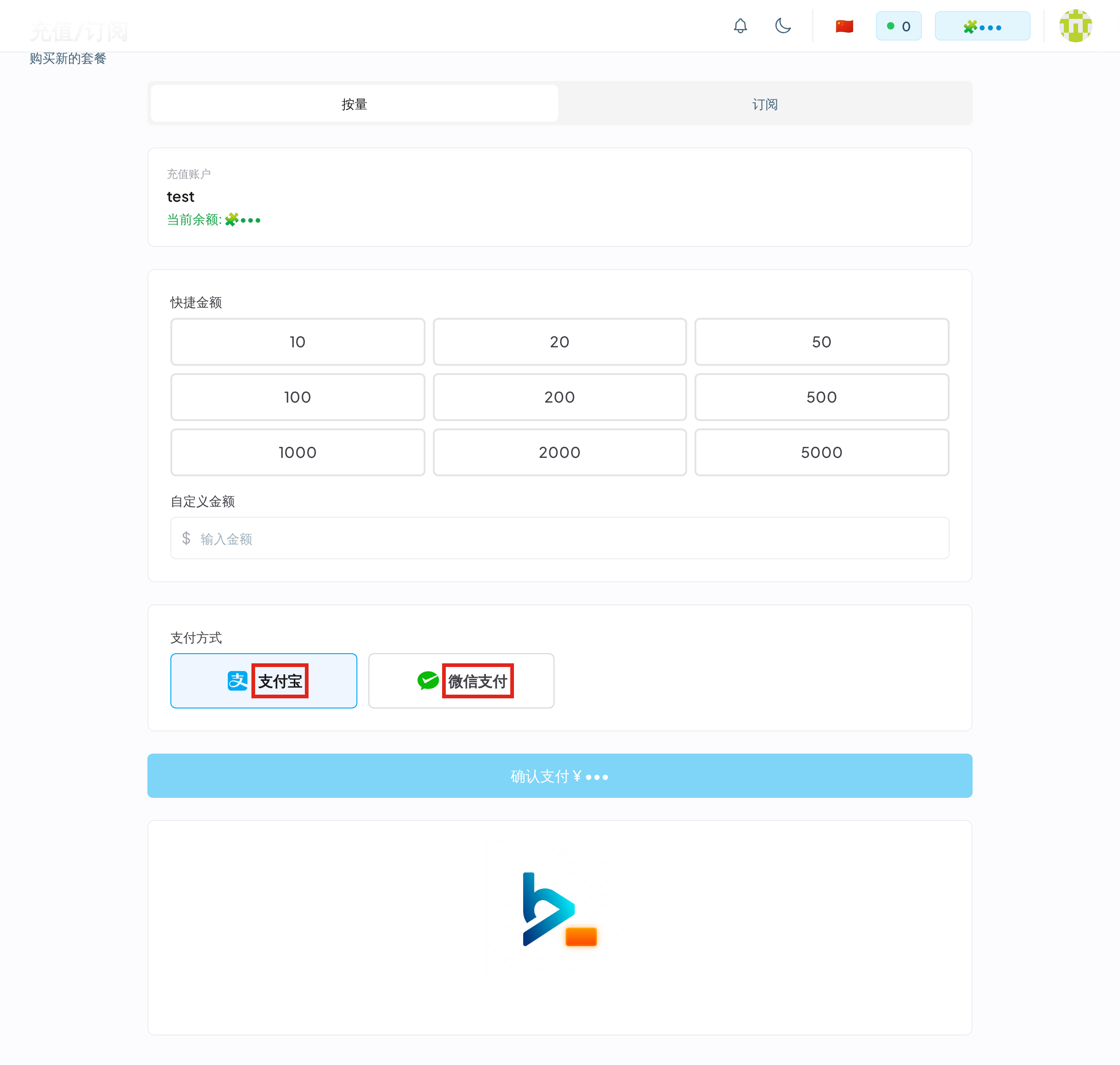
Operate on the purchase page, which has Pay-as-you-go and Subscription tabs.
Balance top-up (pay-as-you-go)
Spend what you load, never expires. The page offers quick amounts or a custom amount; top-ups are denominated in 🧩 and you pay the amount shown on the page via Alipay or WeChat Pay. Available amounts follow the live purchase page.
Subscriptions
Periodic quota at generally better unit prices. Plans are as shown live on the Subscription tab; tiers not yet open for self-service are enabled through support. Active subscriptions live under My Subscriptions.
Key rules:
- Re-buying the same tier renews rather than stacks: the new period starts when the current one ends.
- Different tiers can be held simultaneously: the one expiring soonest is consumed first.
- Unused quota clears at the end of each cycle — no rollover.
Redemption codes
Holders of a code can redeem it on the redeem page for balance, concurrency or subscription entitlements — see Redemption Codes.
Orders
Every payment is recorded under My Orders: order number, amount paid, payment method, status. For payment problems, contact support with the order number (Support@mail.byteseek.ai); to reach support on WeChat, check the top-right corner of the site.
Deduction order
Subscription first, then balance, fully automatic:
- With active subscriptions → the one expiring soonest is consumed first;
- Subscriptions exhausted → deduction switches to the balance;
- Neither sufficient → the request is rejected with a quota error (see Error Codes).
The settlement method on a key defaults to "auto" (the order above) but can be pinned to one quota type, see Create an API Key.
Usage queries vs. usage records
Two different features — keep them apart:
Usage queries
Account-level totals of calls, spending and quota:
- Dashboard: balance, today's requests / spending, token trends, performance metrics;
- Key usage query: sign-in-free per-key spending and status.
Usage records
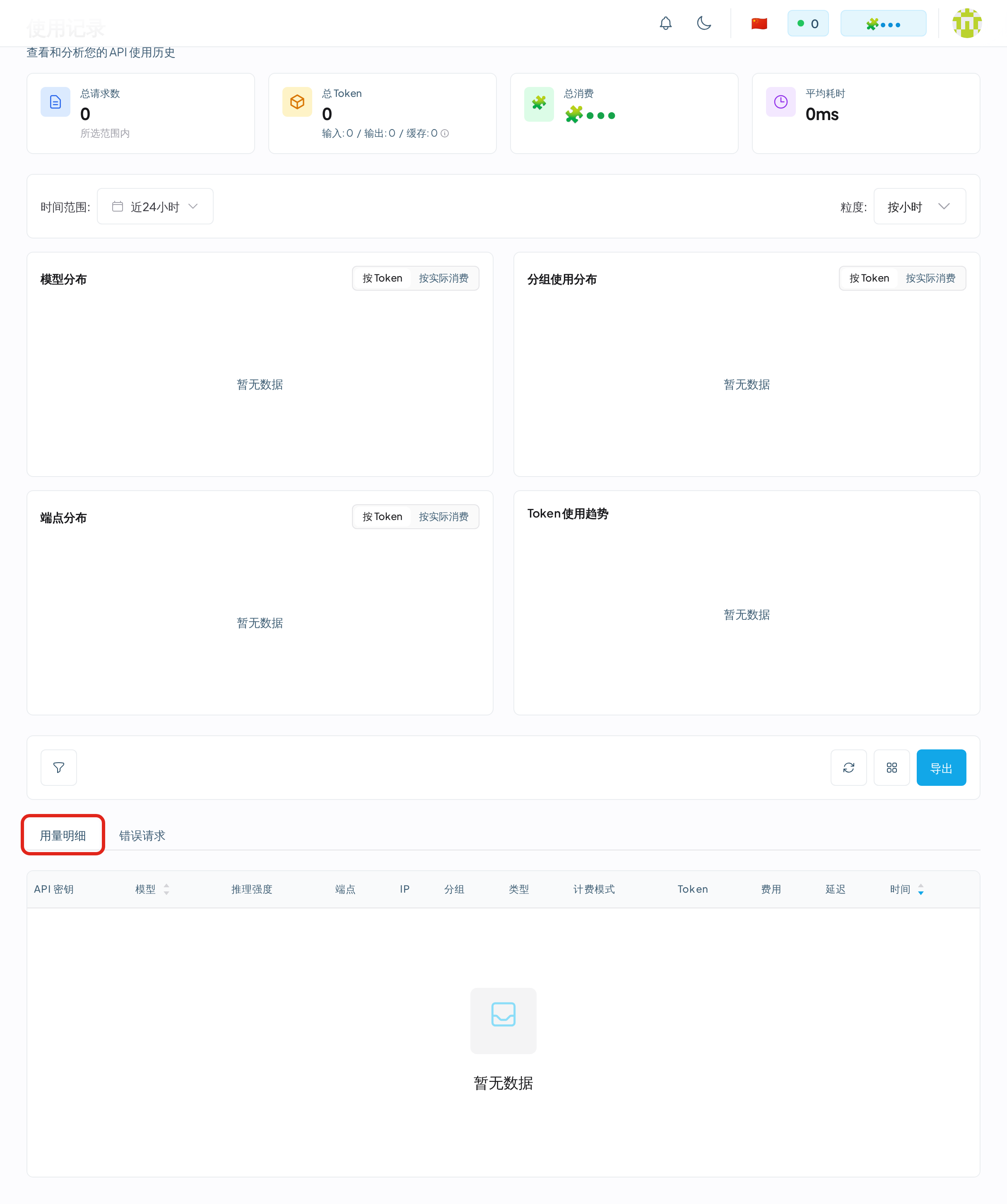
The usage page holds per-request detail: API key, request time, model, reasoning effort, endpoint, group, billing mode, token counts, cost and latency — filterable by time range and granularity, with export. Model, group and endpoint distributions each get a chart; failed requests have their own tab. Reconcile any billing doubt here first.
Related
- Core Concepts · Cost calculation — formulas and deduction gates
- Fast Mode — pricing of the high-priority lane
- Redemption Codes — balance / concurrency / subscription entitlements
- Teams — team keys billed to the owner