

API Endpoints
Most clients ask for an API address (Base URL). ByteSeek provides different entries per protocol format — the format is dictated by your client, and the group must support the same format.
Protocol endpoints
Which models each format serves is always as shown live in the model plaza.
Request format reference
Minimal working requests per protocol — swap in your own key and run:
The format used by nearly every "OpenAI-compatible" client and SDK:
Copy the real MODEL_ID from the matching group in the model plaza; prefix it when using a composite key.
Alternate routes
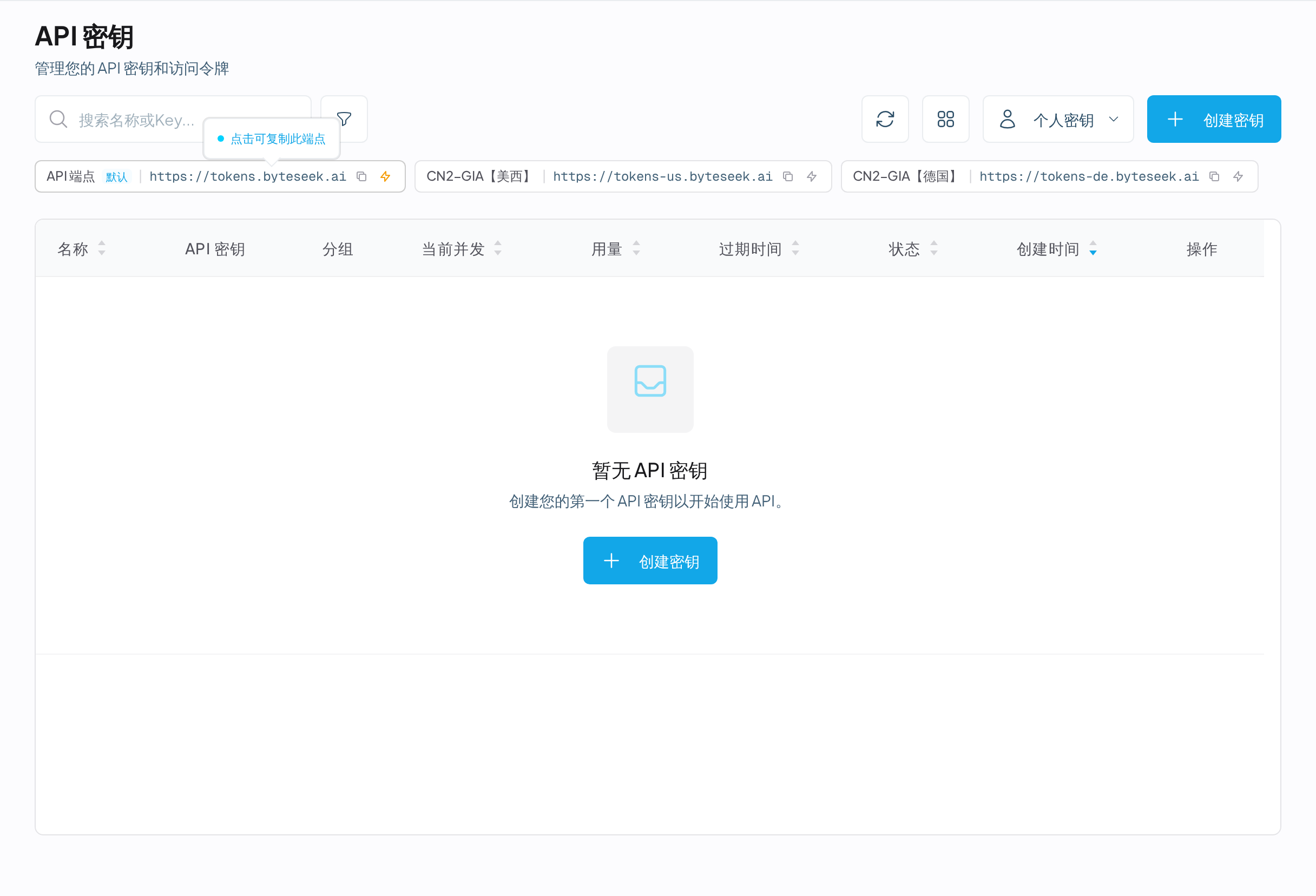
Besides the default address there are CN2-GIA premium routes; switch when your network is poor. All three are fully equivalent with identical path rules:
All endpoints can be copied with one click at the top of the API Keys page.
Choosing a format
One rule: use the format your client's setting is named after.
By client:
- Anthropic format: Claude Code, and anything natively speaking the Anthropic protocol
- OpenAI format: Codex, Cherry Studio, and everything labelled "OpenAI-compatible"
Some models offer both format groups (see Core Concepts). Pick the group matching your client when creating the key — the wrong choice returns 403, see Error Codes.
Authentication
The API key travels in a request header; most clients handle this automatically. The auth header differs per format:
Never pass keys via URL query parameters — insecure and rejected.
Filling in the URL
- Watch the
/v1: Anthropic format without, OpenAI format with. Some clients append paths themselves — after configuring, fetch the model list once to verify. - Always
https://, neverhttp://. - With a composite key, model IDs must carry the prefix.
Related
- Create an API Key — get a key first
- Quickstart — pick a client integration
- Troubleshooting — when you cannot connect
- Error Codes — the full list of auth and request errors