

Quickstart
ByteSeek Tokens is a unified large-model API service: with one API key you can call models from multiple vendors in your favourite clients, over multiple protocol formats — see the full request format reference.
Three steps to get started
Registration requires ticking "I have read and agree" to the Service Terms, Privacy Policy, Acceptable Use Policy, Supported Regions and Disclaimer — please read them first.
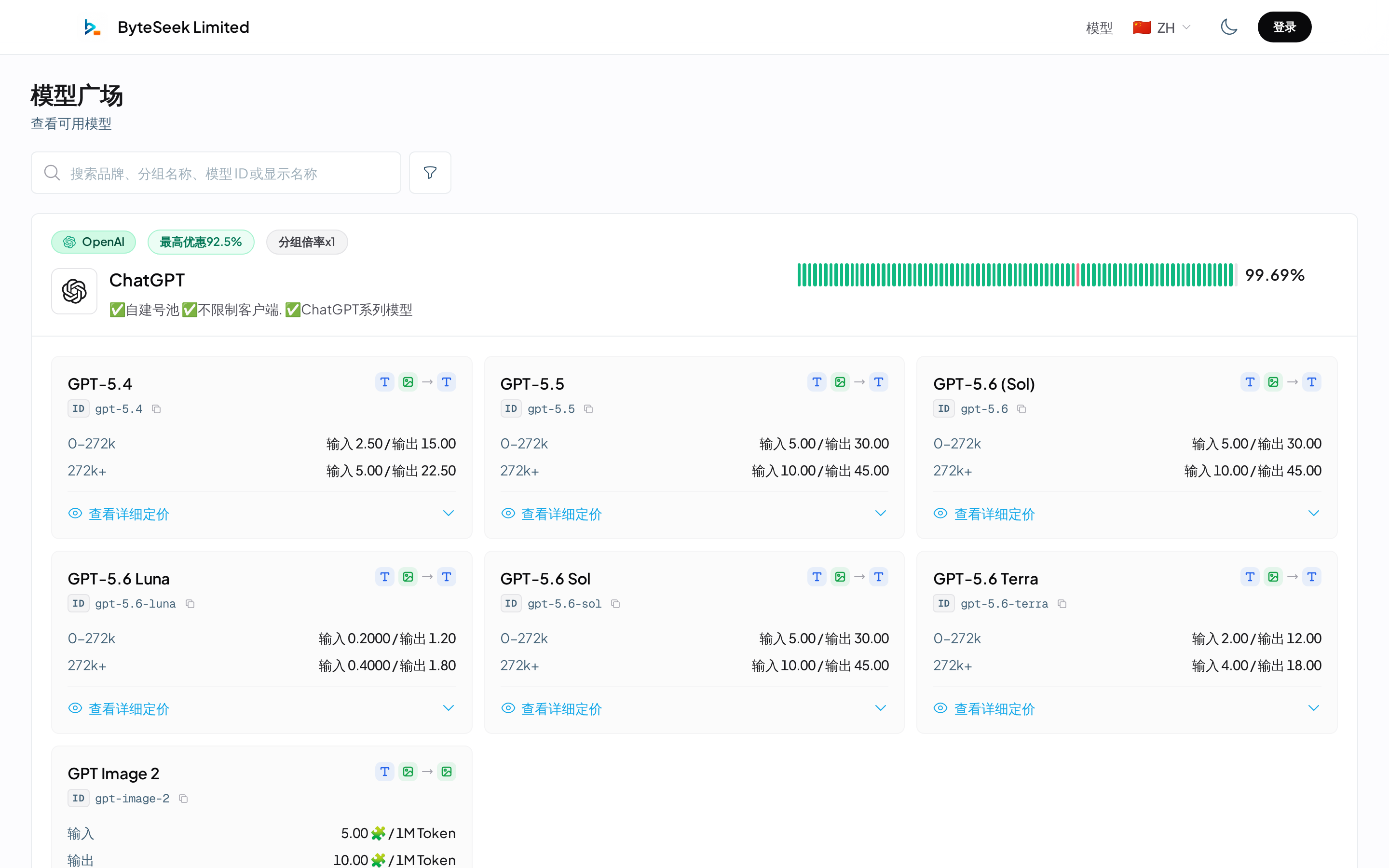
Prices shown in the model plaza already include the group multiplier — what you see is what you pay. For groups labelled "data sharing disabled", conversation data is not stored.
New to groups, pools and multipliers? Three minutes on Core Concepts will save you half your troubleshooting time later.
Choose your client
Terminal / agent users
For users who live in the terminal and mainly code.
GUI / chatbot users
For users who prefer graphical interfaces or mobile, or who mostly chat.
The universal recipe: add ByteSeek as a custom provider in your client's settings, enter the API key and the endpoint for the matching format (see API Endpoints), fetch the model list, and start.
The console at a glance
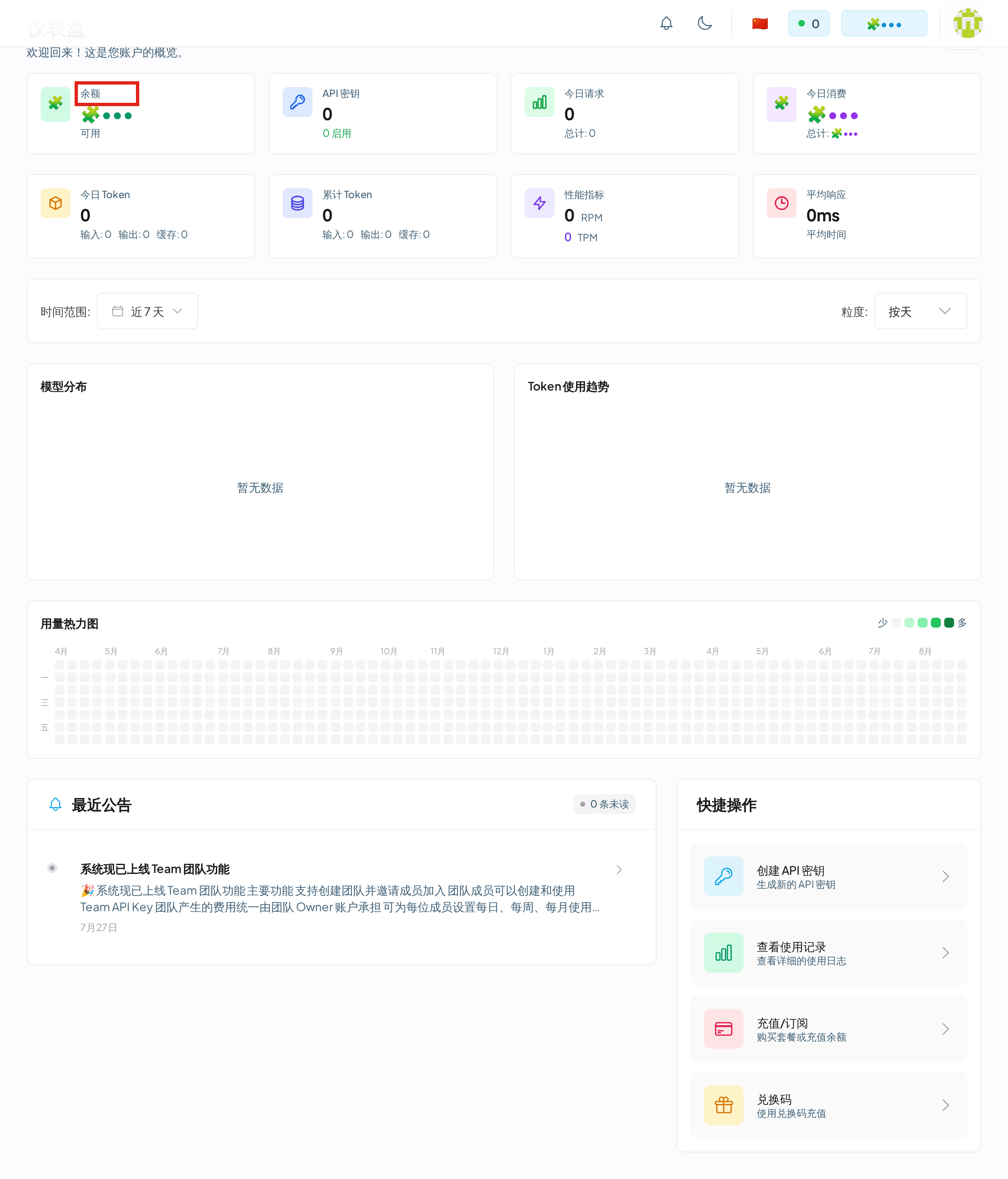
The dashboard is your account overview: balance, today's requests and spending, token usage trends, RPM / TPM metrics and a usage heatmap. The left menu covers the model plaza, API keys, teams, usage records, subscriptions, orders, redemption, referral and profile.
Verify your setup
The fastest check after configuring is to fetch the model list:
- Model list returned → key, network and endpoint are all fine.
- An error → look it up in Error Codes.
Going further
Once the basics work, enable these as needed:
- Composite Keys — one key bound to several groups, switched by prefix
- Fast Mode — force the high-priority lane on a key for faster responses
- Teams — members share the owner's balance with per-member keys and limits
When something breaks
- Troubleshooting — locate by symptom, with a report template
- Error Codes — meaning and handling of every status code
- FAQ — short answers to frequent questions